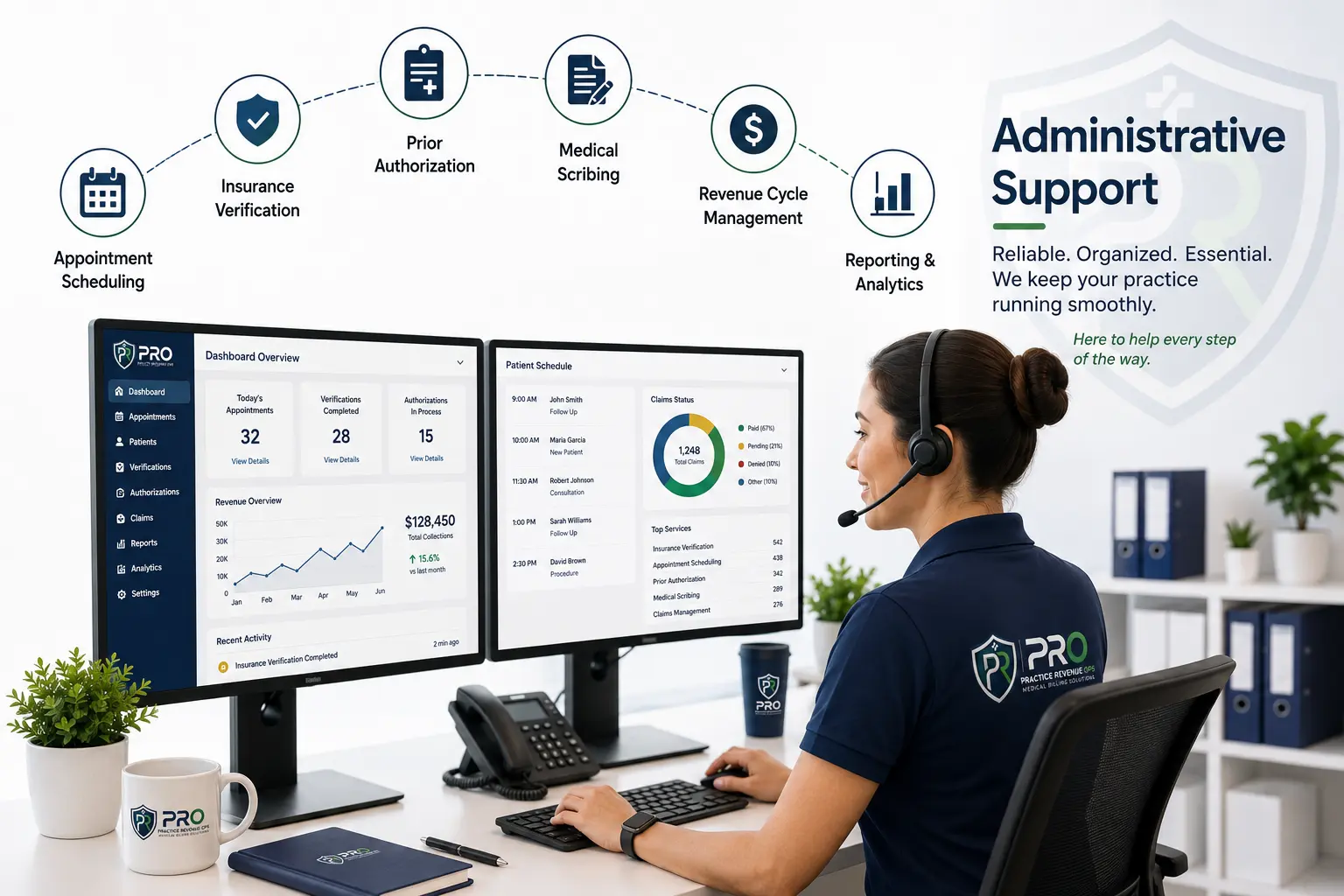
Front office management, medical scribing, insurance verification, appointment scheduling, and revenue cycle support — coordinated around the way your medical practice works.
A missed reminder, an incomplete eligibility check, or an unresolved billing question can slow the whole day. Connect these tasks through clear responsibilities and an agreed review process.
Start with the work that is stretching your team. Together, define the scope, communication channels, and escalation points before support begins.
Connect the administrative touchpoints before, during, and after the visit.
Prepare for the visit
Coordinate scheduling, reminders, eligibility checks, and the administrative information needed for an appointment.
Support the encounter workflow
Align documentation support with approved templates and the provider’s review and approval process.
Keep the follow-up visible
Organize administrative messages, billing handoffs, claim status checks, and unresolved items for review.
Find the right support
One clear priority. A useful starting point.
Answer three short business questions to explore a relevant service. Your selections stay in this page until you choose to include them in an audit request.
This is a starting-point suggestion based on your answers. Scope, staffing, access, and coverage are confirmed through a conversation.
Support the whole workflow. Start with the right detail.
A missed call, an incomplete eligibility check, or a billing handoff can affect the next step in the patient journey. Discuss support that connects these administrative tasks while keeping your practice in control.
01
Front office excellence
Bring calls, appointment changes, reminders, and referral messages into a defined process. Agree on scripts, scheduling rules, and urgent escalation routes so your team knows what happens next.
02
Healthcare workflow management
Connect insurance verification, prior authorization administration, and documentation handoffs. Track the information still needed, the person responsible, and the next follow-up rather than treating each task as an isolated request.
03
Quality through review
Build review points into the workflow: check required fields, confirm the handoff, and route exceptions to the right reviewer. Your clinical team retains clinical decisions; access and data-handling requirements are agreed before an engagement.
Explore the details: An example of connected practice support
An example of connected practice support
Patient journey
Administrative work
Next handoff
Before the visit
Coordinate appointments, reminders, eligibility checks, and outstanding requirements.
Flag missing information for the practice before the scheduled visit.
During the visit
Support agreed documentation templates and administrative coordination.
Route notes or questions to the provider for review and approval.
After the visit
Coordinate billing administration, claim follow-up, and administrative messages.
Keep unresolved items visible for the authorized team.
Illustrative workflow. The services, coverage hours, access, and review responsibilities depend on the agreed engagement.
Operations that support care↗
A considered approach
Care needs your attention. Operations need a plan.
Every appointment, document, and billing handoff is part of the patient journey. We help organize that work around your practice’s priorities.
Start with the tasks that create the most friction. Build a clear support workflow. Keep responsibilities and communication visible as your needs evolve.
Bring a defined support workflow to the administrative work around hospital care. Start with your department’s requirements, processes, and priorities.
Coordinate administrative communication and appointment-related work.
Revenue operations
Explore billing administration and follow-up around your approved processes.
Operational handoffs
Clarify documentation workflows, responsibilities, and escalation points.
For laboratory operations
Precision behind the process.
Laboratory operations depend on clear administrative workflows as well as clinical expertise. Explore support tailored to the non-clinical work around your laboratory.
Organize the handoffs between your laboratory, referring practices, and administrative team.
02
Billing workflow support
Review eligibility, billing administration, and payer follow-up requirements.
03
Workflow visibility
Define ownership and reporting around the operational tasks that need attention.
Technology alignment
Your systems. A considered approach.
Operational support starts with the platforms your team already uses. Review the workflow, access requirements, and system limitations before defining the engagement.
No. Platform references help identify the systems involved in your workflow. Any specific capability, integration, permission, or partnership should be confirmed separately before the engagement.
What if our platform is not listed?
Share the platform name and the administrative workflow you want to discuss. Fit depends on the tasks, access requirements, and system constraints, rather than the presence of a logo on this page.
Do we need to provide credentials during the audit?
No. The first conversation can describe your systems and workflow without sharing passwords or patient records. Any later access should follow the approved authorization process for your practice.
The next step
A stronger workflow starts with a conversation.
Tell us where administrative work is slowing your practice down. We’ll explore your priorities and discuss how operational support could fit.
The goal is practical: give important administrative work a defined place in your daily operations.
Practice workflowWhat to organize
Patient communication
Clear ownership for calls, messages, and appointment administration.
Insurance administration
An agreed process for verification, follow-up, and authorization support.
Billing handoffs
Defined responsibilities for billing administration and claim follow-up.
Team coordination
Documented handoffs, review points, and escalation routes.
Our perspective
Good support feels like part of your team.
Your practice has its own people, priorities, and way of working. Administrative support should respect that—and make it easier to keep everyone aligned.
Start with the work, the handoffs, and the support your team needs.
Clear communication
Agree on how questions are raised, progress is reviewed, and responsibilities are shared.
Request a free audit
Start with your priorities. Leave with a clearer next step.
Tell us about your practice and the administrative workflow you want to discuss. The introductory conversation can help identify a focused starting point for support.
HIPAA Compliant
SOC 2 Type II
Trusted by 500+ Providers
01
Share a business overview
Your practice, current systems, and the recurring tasks you want to review.
02
Identify the handoff
Explain where work slows down and who owns that process today.
03
Discuss the support scope
Explore responsibilities, review requirements, and an appropriate next conversation.
A short business description is enough. Please leave out patient records, medical details, and system credentials. This introductory review is not a formal clinical or financial audit.
Support can be discussed for independent practices, specialty clinics, hospital teams, and laboratories. Your practice size, locations, task volume, and coverage needs help determine an appropriate engagement. We can start the conversation around a single workflow or connected service areas.
How is confidentiality and HIPAA addressed?
Public inquiry forms are for business information, not patient records. Where a client engagement involves protected health information and a business associate relationship, the applicable Business Associate Agreement, permitted access, and safeguards must be established before PHI is shared. Confidentiality and information handling are addressed in the engagement agreements.
How is pricing determined?
Pricing depends on service scope, task volume, specialty, workflow complexity, systems, and coverage requirements. Describe your needs through a free audit request so the team can discuss a tailored proposal. The quote should explain the pricing model and what is included.
Can you work with our EHR or practice management system?
Start with the system your team already uses. The website lists examples such as Epic, eClinicalWorks, Practice Fusion, Telcor, and several laboratory platforms. Confirm the exact product, modules, authorized access, and workflow requirements during discovery. A displayed logo does not guarantee an integration, certification, or partnership.
What does the free practice audit cover?
It is an introductory discussion of your administrative priorities, existing workflows, and possible support scope. It is not a formal financial, clinical, legal, or compliance audit. Submitting an inquiry does not create a service engagement.
Does submitting the form subscribe me to marketing texts?
No. The current checkbox permits contact about your inquiry and does not subscribe you to SMS marketing. A future SMS program would require a separate opt-in with clear message, rate, frequency, help, and opt-out terms. See the Privacy Policy and Terms of Service for the current communication information.
The next step
A stronger workflow starts with a conversation.
Tell us where administrative work is slowing your practice down. We’ll explore your priorities and discuss how operational support could fit.